
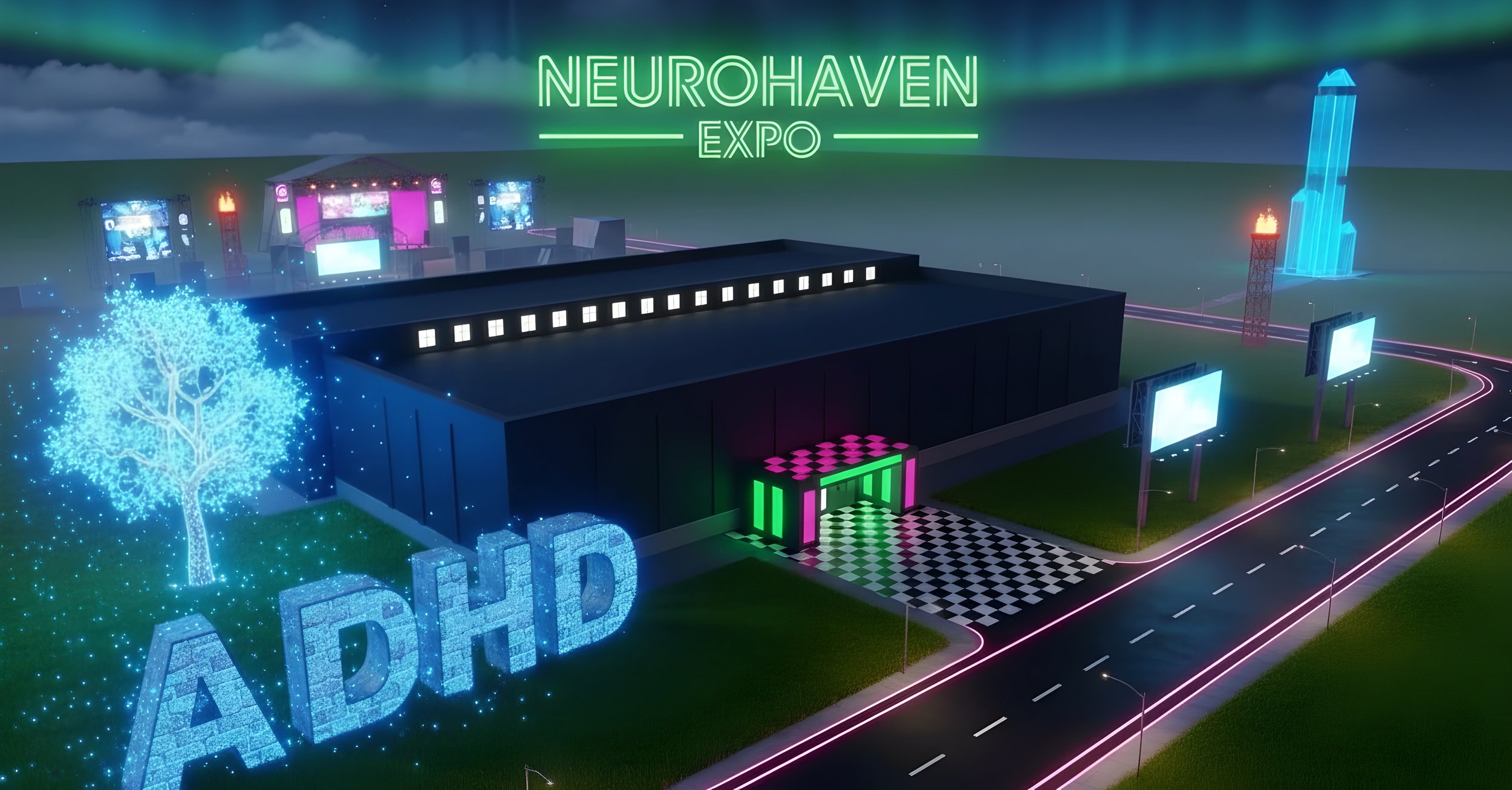
Welcome to Neurohaven Expo, a huge 3D virtual conference world dedicated to ADHD, Neurodiversity & Mental Wellbeing.
This guide covers everything you need to know — from your first steps, to soaring through the sky.
JOIN TESTING & REQUEST ACCESS NOW
Please join, and report any glitches or issues via our contact form here. Still in development, expect bugs.
Getting Started
When you first arrive, you'll be asked to create your avatar — a glowing orb with a face, legs, and optional accessories. Once you enter, you'll appear in the Foyer, the central hub of the conference building. From there, the entire world is yours to explore.
Your Avatar
You are a smiley orb — a floating, glowing sphere with a face, tiny animated legs, and optional accessories.
Customisation Options
Colour & Glow: Choose your orb's body colour and glow colour.
Patterns: Solid, gradient, pulsing, wireframe, or holographic.
Size: Small, medium, or large.
Faces: Over 60 faces across categories — Happy, Cool, Silly, Chill, Expressive, and Special.
Accessories: Crown, halo, top hat, headphones, various hairstyles, and sunglasses.
Particles: Customisable particle trails that follow you around.
Webcam Mode: Project your live webcam feed onto your avatar's face for real face-to-face interaction.
Press B at any time to open the Avatar Customiser.
Controls
Movement (On Foot)
Key Action
W / A / S / D or Arrow Keys Walk forward, left, backward, right
Space Jump
Shift (hold) Sprint
V Toggle third-person camera
Flight Mode (Outdoors Only)
Press F when outside to launch into the air with a jetpack.
Key Action
F Toggle fly mode on/off
Space (hold)Fly upward
C or Shift (hold)Fly downward
U Toggle vertical speed boost
P Full stop (hover in place)
Flight Speed Levels
While flying above 50m, tap these keys to set your cruise speed:
Key Speed Description
Q Nudge Barely moving — great for precise positioning
W Walk Gentle glide
E RunA brisk fly
R Cruise Comfortable exploring speed
T Swift First traversal
Y Surge Very fast
I Warp 1 Extreme speed for crossing the map
O Warp 2 Even faster — double-tap for Warp 3
P Stop Instant halt
Interface & Toggles
Key Action
B Open avatar customiser
X Open emote menu
M Toggle mute (all audio)
Z Open sound/volume panel
C Toggle controls help overlay
L Toggle flight HUD (compass, altitude, speed, coordinates)
K Toggle minimap / tactical map
J Toggle UI visibility
N Toggle day/night mode
1–6 Change weather preset
F4 Take a screenshot
Imagine you're standing in a vast open landscape.
Here's the shape of the world:
The Ground
The ground is a flat square, 20km × 20km — roughly the size of a large city like central London or Manhattan and its surrounding boroughs combined. You spawn near the middle. The actual built-up area with all the buildings, festival grounds, golf course, airport, lake, sanctuary, and library is concentrated in roughly a 6km × 4km zone in the centre — like a town sitting in the middle of open countryside.
The Sky and Space
You can fly straight up to 100km — that's the edge of real-life space (the Kármán line is at 100km). Below 2km altitude you're in the "normal world" — you can see the ground, buildings, clouds. Above 2km, the ground fades away and you enter space with stars, nebulae, and constellations around you. Above 3km is "deep space" with its own environment.
The Boundaries
Invisible barrier walls form a massive 100km × 100km square around you at the edges. So you can fly 50km in any horizontal direction from the centre before hitting the boundary. That's roughly the distance from London to Brighton.
Total Volume
The entire flyable space is a box: 100km wide × 100km long × 100km tall. That's 1,000,000 cubic kilometres — about the volume of a cube the size of a small country.
Key Landmarks and Their Heights
Ground level: 0m
Main conference building: ~10-20m (3 floors)
Library tower: ~84m (6 floors)
Buddha head platform: 475m (about the height of the Empire State Building)
UFO: hovers at 1,400m (higher than any building on Earth)
Space threshold: 2,000m
Maximum altitude: 100,000m (100km)
So in short — a city-sized ground area sitting inside a country-sized cube of flyable space.
and give me the unit size of the whole world(s)
Here are the raw unit dimensions (1 unit = 1 metre in the engine):
Ground plane: 20,000 × 20,000 units
Barrier walls (flyable boundary): 100,000 × 100,000 units
Max altitude (ceiling): 100,000 units
Total flyable box: 100,000 × 100,000 × 100,000 units
Built-up area (where everything is): roughly X: -4,700 to +1,100 (5,800 units wide) × Z: -2,700 to +1,600 (4,300 units deep)
Key altitudes in units:
Ground: 0
Floor 2: ~10
Floor 3: ~20
Library roof: 84
Buddha platform: 475
UFO: 1,400
Space threshold: 2,000
Deep space: 3,000+
Ceiling: 100,000
Camera far plane: 200,000 units (how far you can see)
What's in the blueprint:
Coordinate system — Three.js axes, 1 unit = 1 metre, origin at main building
World envelope — Ground plane: 20km × 20km square with alpha-faded edges
Sky volume: 100km × 100km barrier walls, 100km ceiling
Space sphere: 80km radius Milky Way skybox wrapping everything
Main building — 3 floors (Foyer, Expo halls, Theatre, Auditoriums, Arcade Lounge), exact bounding box coordinates
Road network — Every road segment with coordinates, 18m wide grid roads + inner approach
All outdoor landmarks with exact positions:
Lake (−1400, −1450), Festival Grounds (−1100, 1100), Sanctuary (−860, −855)
Stonehenge (−598, −1629), Library Tower (576, −55), Golf Course (1100, 950)
Airport — Runway (X=50, Z −950 to −1750), terminal, control tower
All aircraft — Commercial jet, airship orbit path, 3 WWII warplanes
Giant objects — Buddha head at Y=474, UFO at (−4668, 1400, 31)
Space arena at Y=5000 with warp gates, nebula clusters, zodiac ring
ASCII scale diagrams — both top-down and vertical
Construction notes — renderer settings, material types, culling strategy
The Main EXPO Building (Floor 0)
The ground floor is the heart of the conference — a large indoor complex with multiple wings.
The Foyer
Your starting point. A grand entrance hall connecting all the corridors. Look around for information boards and signage pointing you to the exhibition halls, theatres, and lifts.
Exhibition Hall A
A row of interactive expo booths covering the history and science of ADHD. Each booth has a poster, two side displays, and descriptions you can read by looking at them. Topics include:
The Evolution of ADHD
Early Observations and Descriptions
19th Century Cultural Depictions
Terminological Evolution and Diagnostic Criteria
Advancements in Treatment Approaches
Early ADHD Medication Publicity
Contemporary Perspectives & Ongoing Debates
ADHD as a Global Health Crisis in 2026
Exhibition Hall B
More booths covering a wider range of neurodiversity topics:
Autism
ADHD — A Global Health Crisis
Dyslexia, Dyspraxia, and Dyscalculia
The History of Stimulants
Female ADHD
Addiction in ADHD / Tourette's
Interactive Self-Testers: The WURS-61 Childhood ADHD screener and the AQ-50 Autism traits screener — full questionnaires you can take right inside the world
The Theatre
A large auditorium with a video screen showing featured conference content (YouTube streams).
Auditorium A & Auditorium B
Additional lecture halls, each with their own video screens for talks and presentations.
Corridors
Decorated passageways connecting the foyer to each hall, lined with dozens of informational posters on both walls. Additional corridors lead to specialised rooms including the Cinema B (genetics and neuroscience displays) and other presentation spaces.
The Lift
An interactive elevator system in the main building. Look at the lift buttons to travel between floors:
Floor 0: Ground Floor (Exhibition Halls, Theatre, Foyer)
Floor 1: Club Hub (Nightclub)
Floor 2: World Mental Health / Market
The Club Hub (Floor 1)
Take the lift up one floor to enter the Club Hub — a full nightclub environment.
The Hub
A central junction connecting all the club's rooms, with poster displays on the walls.
Dance Floor
The main room with a DJ booth and a large video screen playing music. Spatial audio means you'll hear the music get louder as you approach.
Live Stage
A dedicated performance space with its own screen and lighting rig.
Chill Room
A lounge area to the south with relaxing visuals and ambient screens.
VIP Gallery
An elevated viewing area overlooking the club.
The Bar
A social area within the nightclub.
Arcade Lounge
A neon-green-lit gaming lounge on Floor 2, accessible from the club area.
World Mental Health / The Market (Floor 2)
The top floor of the main building houses themed displays focused on global mental health topics, along with a marketplace area.
The Library Tower
A separate building located east of the main complex, the Library is a multi-storey tower dedicated to in-depth ADHD and mental health education.
Library Floors
Ground Floor: Entry and foyer
ADHD Floor 1 & 2: Dedicated rooms exploring ADHD history and research
Mental Health Floor 1 & 2: Broader mental health topics
Rooftop Café: A social space at the top
Roof Terrace: An outdoor observation deck with panoramic views
ADHD Quiz Kiosk
On the library terrace, you'll find an ADHD Quiz Kiosk. Look at the screen and click to open the quiz — it's a gaze-and-click interaction (no special keys needed).
The Sanctuary
A remote, peaceful zone far from the main complex, dedicated to wellness and relaxation.
Getting There
Use the Teleport Menu (top of screen) and select "Sanctuary", or ride the Monorail.
What's Inside
Sanctuary Foyer: Entrance area with ambient music and video displays
Sound Therapy Room: A calming space with a dedicated therapeutic audio/video stream
Breathwork Room: Guided breathing exercises on screen
Zen Bridge: Wooden walkway over reflecting pool
Exterior Gardens: Outdoor spaces with forest music and video billboards
Path: Walk along the peaceful lake path to birdsong
Festival Grounds
A massive outdoor music festival area with multiple stages and attractions.
Getting There
Teleport to "Festival" or take the Monorail to the Festival station.
What's There
Main Stage: A 30-metre wide screen with stage lighting, pyrotechnics, and bass speaker stacks
Second Stage & Third Stage: Additional performance areas
DJ Stages: Three DJ setups (Main DJ, Second DJ, Third DJ), each with their own music streams
Festival Tents: Two large tent stages with live video content
VIP Zone: A restricted area with exclusive screens and music
Fairy Light Canopy: Thousands of string lights draped between poles across the festival grounds
The Monorail
A fully functional rail system that connects six stations across the world. A train glides along an elevated track on a smooth curve.
How to Ride
Go to any Monorail Station (marked with signage)
Press F2 to board
Control your speed:
7: Slow
8: Decrease speed
9: Increase speed
0: Brake / Stop
Press F2 again to exit at your nearest position.
Stations
Expo Centre — The main conference building
Library — The Library Tower
East Village — A residential/social area
Festival — The Festival Grounds
Sanctuary — The wellness zone
Lakeside — A scenic waterside area
Landmarks & Points of Interest
The Giant Buddha Statue
A colossal 475-metre golden Buddha at the world's edge. You can fly up to a viewing platform on the head for breathtaking views. Accessible via the "Buddha View" teleport or by flying.
ADHD Rock Monument
A towering 475-metre stone text sculpture spelling out key messages, visible from almost anywhere on the map.
Stonehenge
A faithful 3D recreation of Stonehenge, placed in the landscape as a scenic landmark.
The Album Billboard
An interactive music billboard — look at it and click to play and download a featured album ("Definitely Tomorrow").
ADHD Services Billboards
Large outdoor billboards around the world displaying information about ADHD services and resources.
Sticky Note Boards
Found in various locations — interactive boards where you and other players can leave messages for everyone to read. Click on a board to write a sticky note.
Vehicles & Aircraft
The skies above Neurohaven are alive with activity.
The Airship
A graceful airship that orbits the world on a continuous path, bobbing gently as it goes. Watch it drift overhead.
Commercial Jet
A full-sized passenger jet that performs takeoffs, flybys, and landings on the runway — complete with realistic engine sounds for each phase.
WWII Warplanes
Three historically-inspired fighter planes circling the skies, each with authentic engine sounds:
Spitfire (British)
Zero (Japanese)
Bf 109 (German)
The Helicopter
A helicopter model visible in the world.
The Giant Alien UFO
High in the sky (at roughly 1,400 metres altitude), a massive UFO hovers with rotating emissive lights and a tractor beam effect. Fly up to investigate — if you dare.
Space Arena -
(100 km x 100 km x 100 km)
When you fly above 2,000 metres, you enter the Space Arena, above 3000 meters - deep space
Weapons
KeyWeapon, (Comma)Fire lasers. (Period)Fire machine gun
Weapons become available when flying above 300m altitude. [under development]
18-Hole Golf
A complete multiplayer golf game set in the outdoor grounds.
How to Play
Find the golf area and approach a tee
Left-click to start your swing — a power meter begins charging
Release to set your power level
Click again to lock the accuracy needle
The ball flies!
Club Selection
Use the Mouse Wheel or keys 1–8 to switch between clubs:
Driver, various Irons, Wedges, and Putter
Physics
The golf simulation includes wind effects, surface types (green, fairway, rough, tee box), and ball spin. Scores are tracked on a multiplayer leaderboard.
Weather & Time
You can change the world's atmosphere at any time.
Weather Presets (Keys 1–6)
Clear Day — Bright blue skies and sunshine
Golden Hour — Warm orange sunset lighting
Overcast — Grey, cloudy skies
Stormy — Dark and dramatic
Misty Dawn — Soft purple-pink fog with a low sun
Starlit Night — Dark sky with starlight
There is also a Dusk preset available in the cycle.
Day/Night Toggle
Press N to switch between day and night mode at any time.
Multiplayer & Social Features
Neurohaven is a shared world — you'll see other visitors as glowing orbs moving around.
Your avatar is always on display to others, even if you hide it from your own view.
Voice Chat (Proximity-Based) - still in testing
Automatic: Your microphone activates when near other players
Distance Rules: Full volume within 5 metres, fades between 5–20 metres, silent beyond 20 metres
Floor Isolation: Players on different floors can't hear each other (unless in a Private Group)
Speaking Indicator: A glowing ring pulses around avatars that are speaking
Mic Level: A real-time meter in the HUD shows your microphone input
Private Groups
Invite up to 3 other players into a Private Group for full-volume voice chat regardless of distance or floor. Use the chat interface to send invitations.
Player List
See how many people are online. In the chat panel, view nearby players and send group invitations.
Emotes
Press X to open the emote menu. Choose from over 12 animated emotes including wave, dance, clap, and more.
Reporting
A built-in system lets you report players for moderation if needed. Be respectful and treat others as you wish to be treated 👀
The Teleport Menu
At the top of your screen, you'll find quick-travel buttons to jump instantly to key locations:
Destination
Foyer Main building entrance
ClubThe Club Hub nightclub (Floor 1)
World Mental Health (Floor 2)
Sanctuary Wellness and therapy zone
Festival Outdoor music festival
Library The Library Tower
Roof Terrace Top of the Library with panoramic views
Buddha Viewing platform
You can also teleport to other players by clicking their name in the player list.
The HUD & Minimap
Flight HUD (Press L)
A military-style overlay showing:
Compass heading
Altitude
Speed
X, Y, Z coordinates
Minimap (Press K)
A tactical map showing your position and markers for other players. Can be expanded to a full-screen tactical overlay.
Controls Overlay (Press C)
A comprehensive visual keyboard map highlighting all available key bindings.
Audio & Music
The world is filled with spatial audio — music gets louder or quieter based on your position.
Zone-Specific Audio
Outdoor areas: A shuffled playlist of original tracks (Afro Expo and Neuro Chill series)
Club Hub: DJ mixes and live music streams
Sanctuary Foyer: Ambient Afro Expo composition
Sanctuary Exterior: Forest relaxation music
Floor 3 Market: DJ mix by Alan Cross
Festival: Live music streams on every stage
Volume Controls
Press M to mute/unmute all music/audio
Press Z to open the volume panel for fine control
Mini-Games
Beyond golf, the world includes:
Chess: A turn-based chess game
Battleships: The classic naval strategy game
9 more arcade games
Tips for New Visitors
Start in the Foyer — Get your bearings, read the signs, and explore the exhibition halls first.
Use the Teleport Menu — The world is enormous. Don't walk everywhere — teleport to the major zones.
Try Flying — Go outside, press F, and explore from the sky. Use R or T for comfortable cruising speed.
Visit the Sanctuary — If you need a break from the bustle, it's a genuinely calming space.
Take the Monorail — It's a great way to see the landscape and discover places you might miss.
Fly to the UFO — It's way up there at 1,400m. Use Warp speed (I or O) to reach it.
Customise Your Avatar — Press B and make yourself unique. Try the webcam face feature.
Check Out the Quizzes — The ADHD and Autism self-screening tools in Exhibition Hall B are genuinely informative.
Leave a Sticky Note — Find a sticky board and leave a message for other visitors.
Change the Weather — Keys 1–6 completely transform the atmosphere. Try Starlit Night.
About Neurohaven
Neurohaven is a virtual conference world built to raise awareness of ADHD, autism, and neurodiversity. Every booth, poster, talk, and resource is designed to educate, connect, and support. Whether you're here to learn, socialise, play golf, fly through the clouds, or just explore — welcome. You belong here.
Website: neurohaven.co.uk